
Sixaxis Compatibility Checker0.7.13 - Get APK
You'll be able to download in few seconds.
Publisher Description
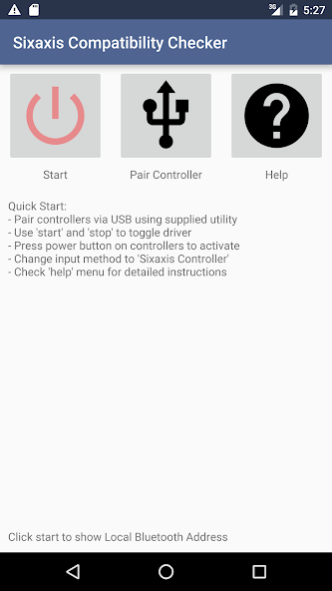
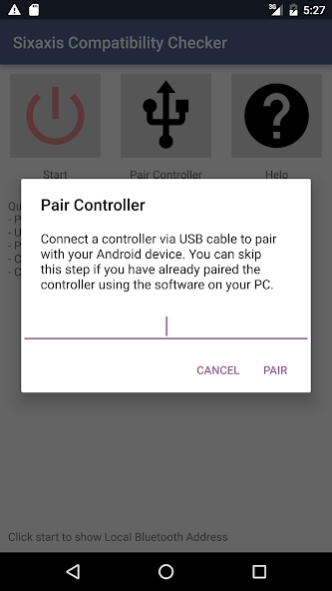
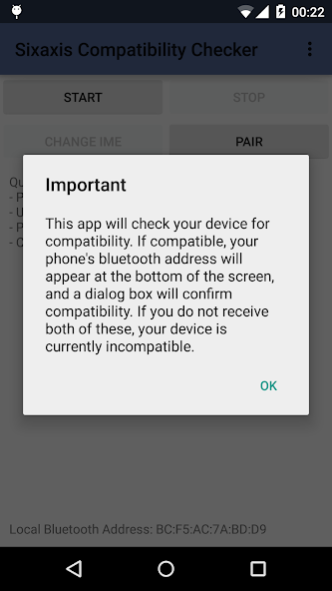
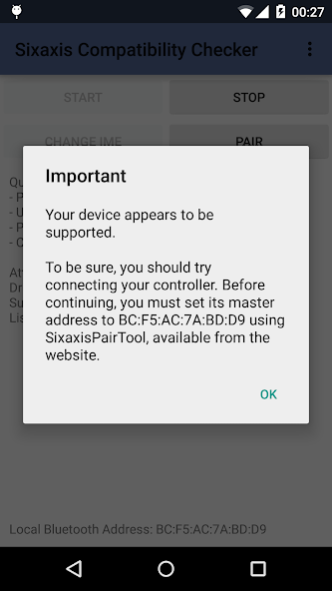
This is the companion application to
Sixaxis Controller
and allows you to check whether your device is compatible with the following controllers before purchasing the full application on Google Play:
PlayStation 3:
Sixaxis Controller
DualShock® 3 Wireless Controller
PlayStation® Move Navigation Controller
PlayStation 4:
DualShock® 4 Wireless Controller (If pairing on a PC, you must use
SixaxisPairTool 0.3.0+
)
*** IMPORTANT ***
-
ROOT access
is required!!!
- Internet permission is required only for gathering basic device compatibility info to improve future support.
- Due to the way pairing is done with the controllers, you need to manually pair your controller with the PC utility 'SixaxisPairTool' (available on the website) and a mini-USB cable. Android 3.1+ users can also pair directly on their devices via USB.
- It is highly recommended that you use an ORIGINAL controller. Many after market controllers will not work. If you get a 'Client connected: 1' message, but the lights on your controller continue to flash, it is almost certainly not an original Sony controller.
- The fake controllers that are most likely to work (though not guaranteed) are those made by Gasia. If you bought a fake that works but isn't made by Gasia, I'd love to hear from you so I can compile a list of known working controllers.
- Be sure to read the instructions in the help menu carefully.
This product is not affiliated with, nor authorized, endorsed or licensed in any way by Sony Corporation, its affiliates or subsidiaries. All trademarks are property of their respective holders.
For assistance, full instructions and FAQ, visit our website at
http://www.dancingpixelstudios.com
About Sixaxis Compatibility Checker
The company that develops Sixaxis Compatibility Checker is Dancing Pixel Studios. The latest version released by its developer is 0.7.13.
To install Sixaxis Compatibility Checker on your Android device, just click the green Continue To App button above to start the installation process. The app is listed on our website since 2017-01-09 and was downloaded 0 times. We have already checked if the download link is safe, however for your own protection we recommend that you scan the downloaded app with your antivirus. Your antivirus may detect the Sixaxis Compatibility Checker as malware as malware if the download link to com.dancingpixelstudios.sixaxiscompatibilitychecker is broken.
How to install Sixaxis Compatibility Checker on your Android device:
- Click on the Continue To App button on our website. This will redirect you to Google Play.
- Once the Sixaxis Compatibility Checker is shown in the Google Play listing of your Android device, you can start its download and installation. Tap on the Install button located below the search bar and to the right of the app icon.
- A pop-up window with the permissions required by Sixaxis Compatibility Checker will be shown. Click on Accept to continue the process.
- Sixaxis Compatibility Checker will be downloaded onto your device, displaying a progress. Once the download completes, the installation will start and you'll get a notification after the installation is finished.
Program Details
System requirements
Download information
Pricing
Version History
version 0.7.13
posted on 2017-01-09
- Added simple metrics feedback to improve future device compatibility
version 0.3.4
posted on 2012-12-04
Several fixes and updates
Disclaimer
External Download
We do not host Sixaxis Compatibility Checker on our servers. We did not scan it for viruses, adware, spyware or other type of malware. This app is hosted by Galad and passed their terms and conditions to be listed there. We recommend caution when installing it.
The APK Download link for Sixaxis Compatibility Checker is provided to you by apps112.com without any warranties, representations or guarantees of any kind, so access it at your own risk.
If you have questions regarding this particular app contact the publisher directly. For questions about the functionalities of apps112.com contact us.
